
Show Lecture.SecureShell as a slide show.
CT320 Secure Shell

Overview
- The Before Times
- Compatibility
ssh&scp- The
~/.sshDirectory - System Configuration
- Asymmetric Encryption
- Generating a Key Pair
- Port Forwarding
The Before Times

These protocols were in common use, back in the day:
-
ftp,rcp - Copy files between hosts
-
telnet,rlogin - Log in remotely
-
rsh - Execute a remote command
They transmit information (including passwords!) in plain text over the
internet. Ack! Don’t use them. Disable (chmod a-x)
ftpd, rlogind, and rshd, or uninstall the packages.
Compatibility
Some systems, such as Ubuntu 18.10, still provide symlinks for backward compatibility:
    % type rlogin
    rlogin is /usr/bin/rlogin

    % ls -log /usr/bin/rlogin
    lrwxrwxrwx 1 24 Nov 21 21:09 /usr/bin/rlogin -> /etc/alternatives/rlogin

    % ls -log /etc/alternatives/rlogin
    lrwxrwxrwx 1 15 Nov 21 21:09 /etc/alternatives/rlogin -> /usr/bin/slogin

    % ls -log /usr/bin/slogin
    lrwxrwxrwx 1  3 Nov 21 21:09 /usr/bin/slogin -> ssh
That’s adorable. Just avoid them.
Clients

- Distinguish between ssh protocol, an ssh client, and an sshd server.
- There are many ssh clients:
- ssh is a Linux command that uses the ssh protocol for remote login.
- scp is a Linux command that uses the ssh protocol to copy files.
- PuTTY (alias putty) is a Windows terminal emulator that uses the ssh protocol to connect to a remote system.
- WinSCP is a Windows program that uses the ssh protocol to copy files.
- An ssh server doesn’t care what sort of computer the packets are
coming from, and an ssh client doesn’t care what sort of computer
it’s talking to.
- As long as they both talk proper ssh protocol, it works.
ssh & scp
- ssh: Execute a command on a remote system, or remotely log in to a remote system
- scp: Copy a file to/from a remote system
sshandscpuse the same encryption, configuration, etc.- There is no
scpport orscpdaemon, just ansshport (22) and ansshdaemon (sshd).
Use of ssh

Execute a remote command:
ssh applin@denver.cs.colostate.edu id
Start a interactive remote session:
ssh applin@denver.cs.colostate.edu
- If username
@is omitted, then the current username is used. - A full hostname may not be required, if the domain is the same.
Quoting

What’s the difference between these two commands?
    ssh applin@denver cat a*b

    ssh applin@denver "cat a*b"
How about these?
    ssh applin@denver date; pwd

    ssh applin@denver "date; pwd"
Use of scp
As does cp, scp supports using a directory as a destination,
or renaming the file.
    scp alpha denver:
    scp beta applin@denver:
    scp gamma applin@denver:delta
    scp epsilon applin@denver:/tmp
    scp zeta applin@denver:/tmp/iota
Either the source, the destination, both, or neither can be a remote system:
    scp denver:kappa lambda
    scp denver:omicron lansing:pi
    scp sigma tau
scp also supports the -p and -r options from cp.
The ~/.ssh Directory
- The
~/.sshdirectory contains a number of files, including:authorized_keysknown_hostsconfigid_ed25519id_ed25519.pubid_rsaid_rsa.pub
- My
~/.sshdirectory is unreadable/unwritable/unexecutable by anybody but me.- Extremism in the defense of security is no vice.
~/.ssh/authorized_keys
~/.ssh/authorized_keyscontains a list of authorized public keys.- It’s a list of people given permission to log in without a
password, or to copy files to/from this account without a password.
- Really, it’s a list of computers.
- Actually, it’s a list of public keys.
- Really, it’s a list of computers.
- To enable login to that computer, add your public key to
the
~/.ssh/authorized_keysfile.
~/.ssh/known_hosts
~/.ssh/known_hosts contains the host keys for the hosts
that we’ve connected to previously. If anybody tries to impersonate
a host, they won’t have the same host key.
~/.ssh/config
/etc/ssh/ssh_configand~/.ssh/configcontain configuration information, including:ControlMasterControlPathControlPersistCompressionForwardX11Protocol- Host aliases
See the ssh_config man page for tons more information.
Sample ~/.ssh/config
    # Share the control circuit for multiple connections:
    ControlMaster auto

    # Put the control circuit socket in MY directory, for safety:
    ControlPath ~/tmp/ssh·mux·%h·%p·%r

    # Keep the control circuit for a while after we stop using it:
    ControlPersist 10m

    # Global options:
    Host *
        Compression yes
        ForwardX11 yes
        Protocol 2

    # Jack’s office at CSU:
    Host applin Applin csu CSU
        User applin
        HostName Greybull.CS.ColoState.Edu
System Configuration
/etc/ssh/sshd_config can make things more difficult for miscreants:
    # Permit only certain users:
    AllowUsers cindy belle aurora snow

    # Don’t allow root login via ssh.  One can use sudo, however:
    PermitRootLogin no

    # Empty password?  You can’t use ssh, then:
    PermitEmptyPasswords no

    # Don’t allow password authentication at all:
    PasswordAuthentication no

    # Don’t permit obsolete ssh protocol 1:
    Protocol 2

    # Everybody expects port 22, therefore:
    Port 13579
~/.ssh/id_*
~/.ssh/id_ed25519: private key~/.ssh/id_ed25519.pub: public key~/.ssh/id_rsa: private key~/.ssh/id_rsa.pub: public key
Asymmetric Encryption
sshandscpuse a pair of keys: one public, one private.- Your public key is public. You can publish it in the newspaper.
- Your private key is private. If it gets out, abandon it.
~/.ssh/authorized_keyscontains the public keys for the users authorized to log into this account (or copy files) without giving a password.- Anybody can encrypt a message with your public key, but only you
have the private key to decrypt it. However, you don’t do explicit
encryption/decryption with
ssh&scp. - Make one public/private key pair for each device (e.g., laptop). If you lose the laptop, invalidate its keys.
Generating a Key Pair
To generate a public/private key pair:
ssh-keygen -t ed25519 -C "Jack’s CSU Macbook"
This will create an ed25519 keypair in ~/.ssh/id_ed25519 and
~/.ssh/id_ed25519.pub.
If you’re using older software, you may have to resort to RSA keys. Make sure to use a sufficiently long key.
ssh-keygen -b 4096 -t RSA -C "Jack’s home desktop"
Ed25519 is recommended as having better security, but requires up-to-date servers & clients. I use ed25519 for all my keys.
Passphrase
- An ssh private key is generally protected by a passphrase.
- It’s like a password, but longer.
- Why they call it a passphrase is beyond me.
ssh-agentwill remember your passphrase for you.- If you don’t have a passphrase, who can get to your private key?
Port Forwarding
Consider the following problem:
- You want to access a server on a remote system.
- The computer that you’re on doesn’t have permission to access “outside” systems, for security reasons.
- However, a gateway system does have permission.
- You want to run your command here, and not on some stupid gateway system.
Port forwarding is your solution!
Port Forwarding
ssh -f -N -Llocal-port:host:host-port user@remote-host
-f: run in the background-N: don’t run a command or start a shell on remote-host-L:- Connect to remote-host as user (really, it always does that)
- From remote-host, connect to host on port host-port
- Forward that connection to local-port on the local machine
Port Forwarding Example
    % wget -q -O- http://icanhazip.com/
    203.0.113.123

    % wget -q -O- http://localhost:12345/

    % wget -O- http://localhost:12345/
    --2026-07-05 19:37:47 --  http://localhost:12345/
    Resolving localhost (localhost)... 127.0.0.1
    Connecting to localhost (localhost)|127.0.0.1|:12345... failed: Connection refused.

    % ssh -f -N -L12345:icanhazip.com:80 applin@denver.cs.colostate.edu

    % wget -q -O- http://localhost:12345/
    129.82.44.141

    % host 129.82.44.141
    205.46.82.129.in-addr.arpa domain name pointer denver.cs.colostate.edu.
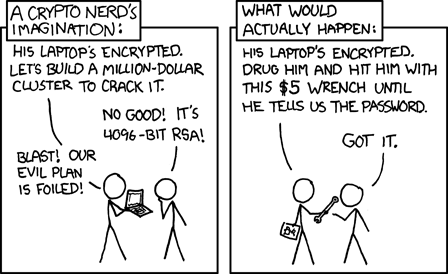
Cryptography ain’t Everything